

You search "coffee shop near me" and three businesses show up on the map. Yours is not one of them. To rank higher on Google Maps, improve the three things Google says it uses for local results: relevance, distance and prominence. You cannot move your building, but you can control a lot of the rest. This guide gives you 9 steps, a realistic timeline and a simple way to check your progress.
How does Google Maps decide who ranks first?
Google is direct about it. In its help page on local ranking, it says local results are mainly based on relevance, distance and prominence.
- Relevance is how well your profile matches what the person searched for.
- Distance is how far your business is from the searcher, or from the location they typed in.
- Prominence is how well known your business is. Google says it also uses information like how many websites link to your business and how many reviews you have.
The same page adds two useful lines. First, businesses with complete and accurate information are more likely to show up in local results. Second, there is no way to request or pay for a better local ranking on Google.
Outside Google, experts try to work out which signals matter most. The Whitespark Local Search Ranking Factors report for 2026 collects scores from 47 experts across 187 factors. Treat it as informed opinion, not Google's own weighting. Still, the pattern is clear.
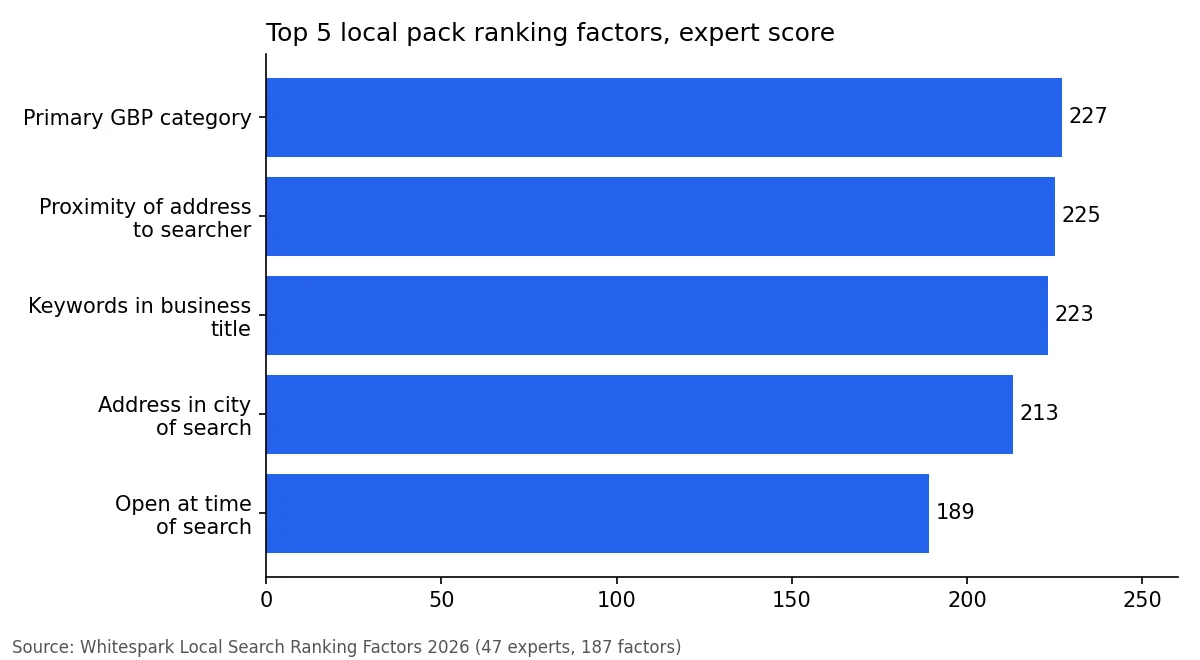
The primary Business Profile category scored 227, proximity of the address to the searcher 225, and keywords in the business title 223. Having the physical address in the city of search scored 213, and being open at the time of the search 189. Notice that most of the top factors sit inside your profile, which is the part you control.
Prominence is the step most businesses skip. Relevance and distance are set in a few hours; prominence comes from reviews that keep arriving and get answered. Up Review's review management asks for the review at the table or after the visit, drafts the reply with AI and tracks your rating week by week. Japan Burger added 250 Google reviews in one month and moved from 4.4 to 4.7.
Google Maps, the local pack and AI answers: what is the difference?
People use these terms loosely, so here is the short version. The local pack is the box of three map results that appears in regular Google search. Google Maps is the app and website, where you see a longer list. Both are fed by the same Business Profile data. The steps below work for both.
AI tools are now part of the picture. In its 2026 survey, BrightLocal reports that use of ChatGPT and other AI tools for local recommendations rose from 6% to 45% of consumers, and that Apple Maps usage nearly doubled from 14% to 27%. Google's share of review use fell from 83% to 71%, so it is still the most used platform. The advice is the same everywhere: accurate data and recent reviews.
9 steps to rank higher on Google Maps
1. Claim and verify your Business Profile
You cannot rank without a verified profile. If you have not created one yet, follow our guide to creating a Google Business Profile. Make sure you are the owner and that the profile is verified.
2. Choose the right primary category
The primary category was the top factor in the Whitespark 2026 survey. Pick the one that describes what you are, not what you sell. "Plumber" beats a loose category such as "Home improvement". Add a few secondary categories only if they are true. Our categories list shows how to choose.
3. Fill in every field
Google says businesses with complete and accurate information are more likely to show up. Add your opening hours, phone number, website, services, products, attributes and a clear description. Keep your hours up to date, because being open at the time of the search scored 189 in the Whitespark survey.
4. Use your real business name
Keywords in the business title scored 223, which tempts people to stuff them in. Do not. Google's guidelines say your name should reflect your business's real-world name, as used consistently on your storefront, website and stationery. Adding keywords that are not part of it goes against the guidelines and can lead to a suspension. If your real name already contains a service word, good. If not, leave it alone.
5. Earn more reviews, and keep them coming
Google says more reviews and positive ratings can help your local ranking. Whitespark's 2026 survey agrees: high numerical Google ratings scored 181, the quantity of native Google reviews 170, review recency 164 and a sustained influx of reviews over time 154.
Recency matters to customers too. BrightLocal found that 74% look for reviews written in the last three months, and 32% look for reviews from the last two weeks, up from 20%. One burst of reviews is not enough. Ask every customer, every week. Our guide to collecting more customer reviews explains how, and Up Review's Google reviews management automates the asking.
6. Reply to every review
Replies show customers, and Google, that the profile is active. Keep them short and specific. Use our review reply examples if you are stuck on wording.
7. Keep your name, address and phone number consistent
Your business details should match across your website, your profile and the directories where you are listed. A mismatch can confuse both customers and Google. Our guide to free business listing directories lists where to start.
8. Make your website support your profile
Google says prominence includes how many websites link to your business. Link your profile to a page that matches it, with the same name, address and phone number. Add a page for each service you want to rank for. In the Whitespark AI visibility results, a dedicated page for each service got an expert score of 170, so this helps beyond Maps too.
9. Add photos and posts regularly
Photos and updates show customers what to expect and keep the profile fresh. Add real photos of your shopfront, your team and your work, not stock images. A few new photos a month is a good habit.

How long does it take to rank higher on Google Maps?
Google gives two useful numbers on its help page for getting your business on Google. Rankings for new businesses can take up to a month to appear in search results, and changes to a profile can take up to 3 days to show.
Beyond that, no one can promise a date. Reviews, links and listings add up slowly. A reasonable plan looks like this:
- Week 1. Fix the profile: category, hours, name, description, photos.
- Weeks 2 to 4. Clean up your listings and start asking every customer for a review.
- Month 2 onward. Keep the review flow steady, reply to every review and re-check your rankings.
If nothing moves after two or three months, compare your profile with the top three in your area. Usually the gap is reviews, category or distance.
How to monitor your Google Maps ranking
Here is the catch: there is no single ranking. BrightLocal explains that what makes Google local rankings different is that they change based on where someone is, and that since rankings can change frequently, you need to check often.
So checking your own rank from your own desk tells you very little. A better routine:
- Check from several points around your business, not just your address. A grid of points shows where you appear and where you vanish.
- Check the same keywords each time, such as "plumber near me" or "coffee shop".
- Run the check on a regular schedule, for example monthly, and write the results down.
- Compare with your closest competitors.
Up Review's Google profile module (MPG) includes rankings by area and a comparison with local competitors. If you want a quick starting point, our free Google Business Profile audit scores your profile in a few minutes. For a deeper walkthrough of profile setup, see our 15-step profile optimization guide.
Why did my ranking drop?
Rankings move for ordinary reasons, so do not panic after one bad day. If the drop lasts, check these in order:
- Profile changes. Did someone edit your name, category, address or hours? Is the profile suspended?
- Reviews. Did a competitor add many more recent reviews than you?
- New competitors. Did a similar business open closer to the searcher?
- Inconsistent details. Do your listings still match your profile?
- Normal fluctuation. Check again in a week from the same points.
If your profile is suspended, our guide on what to do when your profile is suspended walks through the fix.
If the profile itself has been suspended, rankings are the least of the problem: follow our guide on reinstating a suspended Google Business Profile.
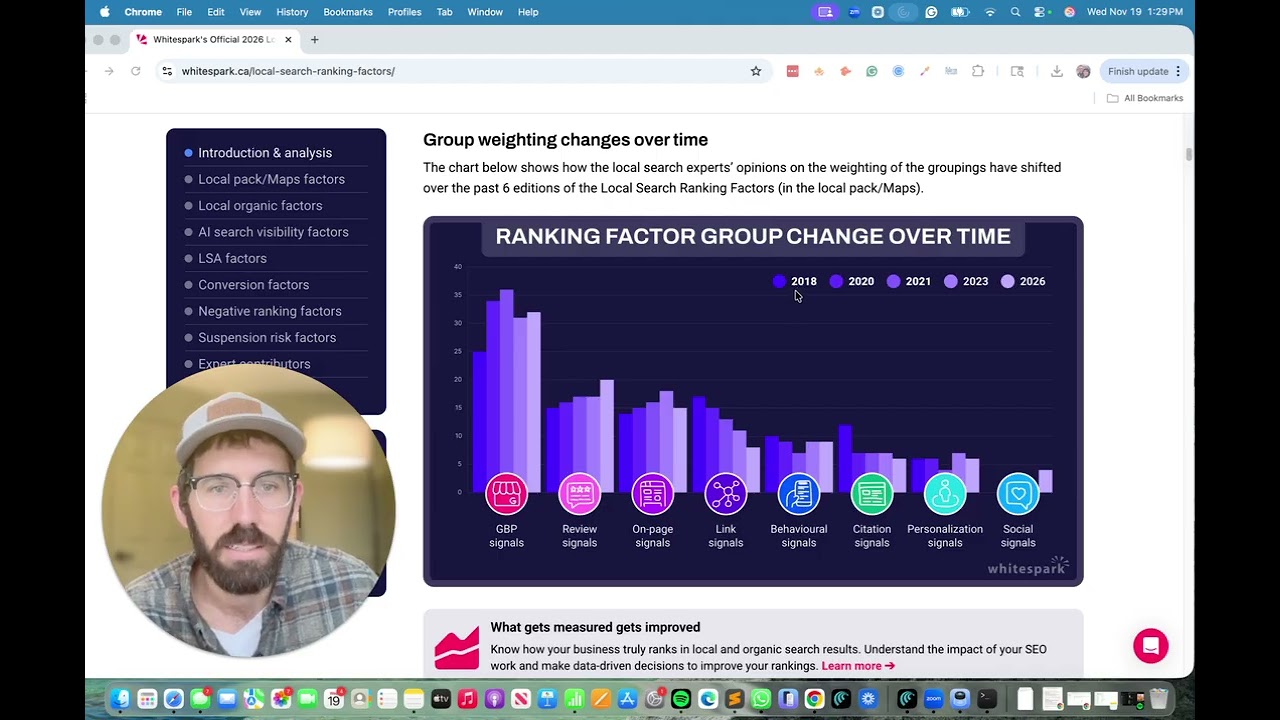
A quick video
Common mistakes to avoid
- Stuffing keywords into the business name. It risks a suspension.
- Picking a vague primary category. Choose the one that describes what you are.
- Asking for reviews once. Reviews must keep arriving.
- Checking rank from one place. Results change with location.
- Buying reviews or links. Google says you cannot pay for ranking.
Where to go next
Rank higher by doing the basics every week.
More reviews, answered faster
Up Review collects Google reviews with the prize game, drafts the replies and tracks your rating. 30-minute demo.